
Micromax A36 Bolt is a nice low end device from Indian Giant micromax . But when it comes to the price tag for Bolt A36 The features are somehow Acceptable . It Is a Entry level smartphone which comes with a 4 inch tft screen . Micromax Bolt A36 Carries nice Bar shaped looks which Are mostly absent in entry level smartphones . One of the worst drawback of this device is that it runs on 2.3 gingerbread os which is outdated these days . But After rooting micromax A36 bolt you can upgrade Micromax A36 bolt To jellybean / Kitkat by installing customs roms on Bolt A36 **
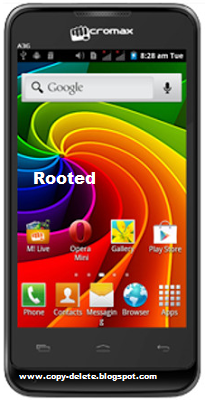
The only Drawback which makes user disappointed is its Os ( Gingerbread ) And its ram ( 256 mb ) Which is not enough For Multitasking . But we can Overcome from both drawbacks By rooting .Rooting will allow you to use some higher class ROMs (Android ICS, Jellybean or KitKat on Bolt A36), clocking up CPU of your smartphone. It will even open the doors towards better file management and handling. All in all rooting will allow you to magnify performance sector of your smartphone to great extent.
But At same time you will loose your Guarantee/warranty .
Before rooting Have a look at What is Rooting And Benefits Of rooting My Android phone ?
Before rooting Have a look at What is Rooting And Benefits Of rooting My Android phone ?
How To Root Micromax A36 Bolt
We will root A36 By A tool Called BIN4RY . with the help of this tool we can root smartphones barely in minutes .
Materials required for rooting Bolt
- Pc/laptop With internet connection
- Original usb cable ( we recomend original usb cable because it has the ability to transfer all types of signals which duplicate cables lack of )
- Pdanet tools installed in your micromax Bolt A36
- And the main thing Bolt A36 :D :D
1 ) Download BIn4ry Tool and extract it in your pc
2) Now connect your Micromax A36 Bolt To Pc
3) Go to the folder where you extracted Rooting tool
4) Open Runme.bat file
5) After running runme.bat you will get this type of window
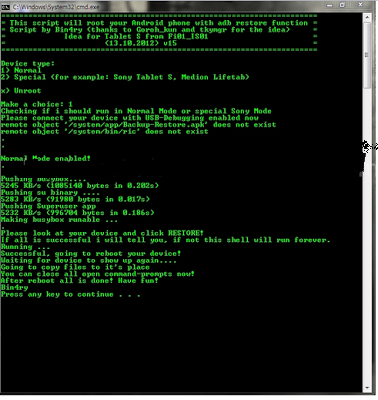
5) Press 1 and enter .
 About Harsh

.jpg)

.jpg)



wht is bolt a36 D:D
ReplyDeleteplz tell me....
ReplyDeleteIts an android smartphone from the Indian company ( micromax ) for more detail you can Google it
ReplyDeletePlz help me
ReplyDeleteI rooted a36 & moved internal data to my sd card for geting more internal space.
Now my phone didnt work well. It does not open. It shows the start only a picture writen on Bolt
Wat can i do. Plz help me